This dialog may appear during the build if there are multiple tag and/or trend lists, or
On the Tools menu, click Project Options and navigate to the Database Selections tab.
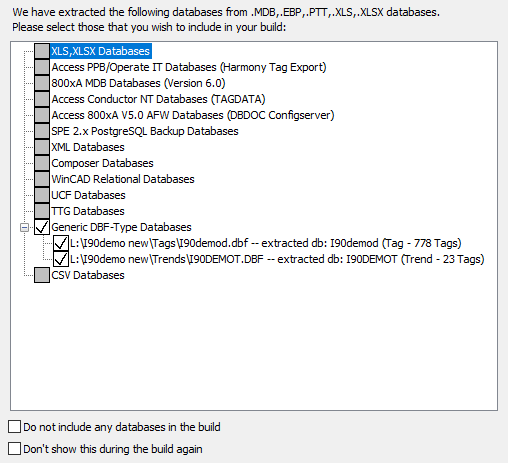
To exclude all databases, check the box Do not include any databases in the build
Otherwise, choose to include the databases in use for your graphics, as well as databases that are intended to be equivalent databases. Check those databases that you wish to have included in your build and deselect those that are not relevant to your build.
Selecting the WinTools database <project>.PTT, or DBDOC's extracted Composer database RESULT.PTT is a useful way to get an approximately valid build, for example to compare console and Composer taglists.
Check the Don't show this during the build again box to prevent the appearance of this dialog.
See also
- Database requirements
- Specifying the project name and system file specifications
- Configuring a Project
- Resolving Duplicate File Choices
- Conductor NT or PPB Console associations
- Symbols-Graphics Association
- Database-Graphics Association
- Resolving non-accessible Path/File
- Categorizing SODG graphics
- Making a backup of 800xA AFW files
- Specifying configuration, graphics and other file locations with the Configuration Wizard
- Extracting 800xA graphics using the Assyst tools
- Extracting a Symphony Plus graphics database
- Extracting an Operate IT Database for 800xA
- Excluding some graphics files
- How 800xA ASSYST Files Folders are Associated with Databases
- How Symphony Plus/PGP Files Folders are Associated with Databases
- Extracting a database for 800xA
- Extracting a database from Engineering Workplace for 800xA
- Building in AC 800M
- 800xA Graphics Chapters Selection
- Creating System Home Page, Text Annotations, Live Loop Annotations, and Bookmarks
- Versions of configuration, graphics, third party tools, and other documentation supported by DBDOC
- Overview of BuildPlus