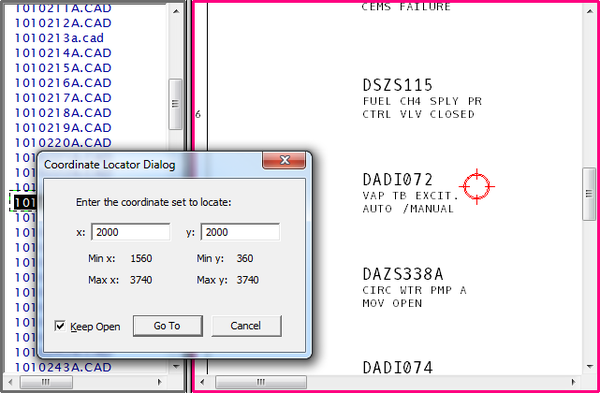
Using the Find Coordinate option, DBDOC allows you to find a certain coordinate set on a given document. It will be highlighted by Hyperview with a flashing red circle and crosshairs centered on the coordinates.
There are two ways to use Find Coordinate.
- Right click anywhere on a graphic or CAD display and choose the Find Coordinate option from the popup menu that appears, or to select it from under the Go menu.
- Alternatively, double-click the coordinate display in the status bar.
In all cases, you will be presented with the coordinate locator dialog. The dialog will show you what the minimum and maximum coordinates are for the current display. This method will take you to the coordinate set on the display you are currently viewing.
DBDOC can perform several other powerful Searches with Hyperview.