On a CAD or CLD, attributes / tag names can be optionally displayed.
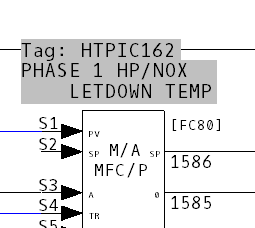
DBDOC writes the tag name and tag description above a tagged block. Like display of specs, there is a view where the tag data is drawn directly on the sheet and a view where the tag data is drawn with a gray background.
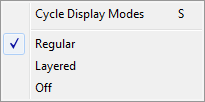
On the View Menu, click Tag Names. Alternatively, right-click in the content pane and select Tag Names. Both dropdown menus give the option of Regular, Layered or Off. You can cycle through these options by repeatedly pressing T (or A).
 Note: The tag name and description are drawn from the tag databases built with the project, not from attributes within the CAD files. There is no need to do a WinCAD tag synch before building your project.
Note: Support for toggling tag names on graphics was removed in DBDOC 10.7. They are now shown only on CAD/CLDs.
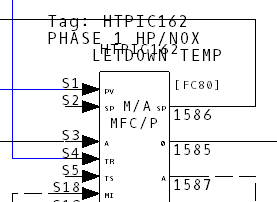
Regular: Displays Attributes for a particular block in plain text.
Layered: Displays Attributes for a particular block with a gray background.
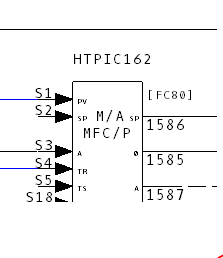
Off: Turns the Attributes display off.
See also
- Showing/hiding function code specs
- Customizing the Browser Display
- Displaying Specs and Attributes / Tag Names