On the Tools menu, click Move Current Project.
This allows you to move the current project to a different BuildRoot, and rename it if you choose.
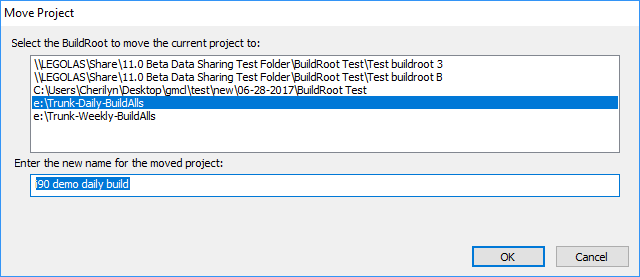
Enter the BuildRoot where the project should be moved, and the name for the project (the same or different). The current BuildRoot will be selected when the window opens.
To move several (or all) projects from one BuildRoot, refer to Moving projects to a new location
See also
- Creating a new project or opening an existing project
- Opening a recent project
- Deleting a project
- Cleaning up temporary/intermediate files
- Exporting a project
- Importing a project
- Renaming a project
- Cloning a project
- Changing Project Options
- Creating Project Settings Archive
- Recover Projects
- Copying project .bpi files to back-up location