You can change a block's color with the Live Block Data Options dialog by selecting a block, and then clicking on Edit Block from the toolbar, or by right-clicking a block and selecting Edit or Change Color....
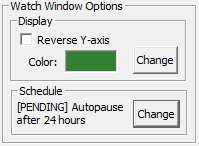
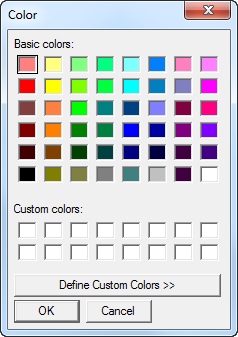
Next to the current color sample, click Change. A color swatch will then appear from which you can select or customize a new color.
See also
- Adding a block to a group
- Editing a block in the Watch Window
- Deleting a block from the Watch Window
- Saving the current plot vertical range as the custom range
- Showing/Hiding a plot line in the Watch Window
- Pausing data collection for a block in the Watch Window
- Automatically generating the best range for plots in the Watch Window
- Inverting the y-axis of plots in the Watch Window
- Adding a live loop annotation to the watch window
- Understanding when data points are connected with lines in trend plots
- Changing the update interval for blocks and groups in the Watch Window
- Managing Blocks in the Watch Window
- Setting the update interval for a block in the Watch Window
- Rearranging blocks in the Watch Window
- Viewing the Watch Window as one plot or split plots
- Stopping the plot from scrolling in the Watch Window
- Inverting the y-axis of plots in the Watch Window
- Showing/Hiding a plot line in the Watch Window
- Automatically generating the best range for plots in the Watch Window
- Changing the horizontal or vertical plot resolution
- Understanding when data points are connected with lines in trend plots
- Changing the update interval for blocks and groups in the Watch Window
- Controlling Data Display in the Watch Window
- Preventing pink-colored out of range data from appearing on Watch Window plots
- Navigating Watch Window data with the Navigation Timestrip
- Setting a plot display start time
- Setting the plot font size